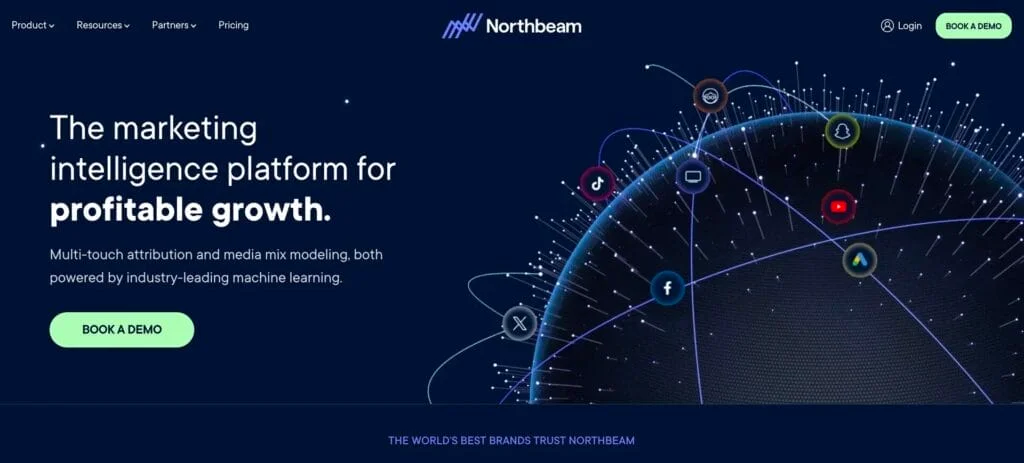
Northbeam belongs on your shortlist if your ecommerce team needs cross-channel attribution alongside media mix modeling, incrementality, and ad-platform activation. Its measurement depth is particularly relevant when operators use both daily campaign analysis and strategic budget planning. If your main question is simply which channels and campaigns contribute revenue, a focused attribution and reporting product such as Weberlo may better match the job.
The buying decision is about measurement scope, usage, and commitment—not company size alone. Northbeam offers four plan categories, including a month-to-month Starter option for qualifying Shopify brands. Its broader measurement suite should be evaluated separately from the capabilities listed in each plan.
Review updated for 2026 · By Andrei Kholkin
Northbeam pricing at a glance
Northbeam pricing combines public starting displays with custom quotes. The displayed Starter and Professional figures are starting reference points, not a fixed price for every business. Pageviews and total business data volume influence the monthly price.
| Plan | Public pricing display | Buyer positioning | Listed capabilities |
|---|---|---|---|
| Growth | Custom quote | Seven-figure brands spending under $200,000 per month on ads | Attribution, dashboards, MCP access, agency support, and potential ad-platform credits |
| Starter | $1,500 displayed starting figure | Brands spending less than $1.5 million annually on ads | Multi-touch attribution, dashboards, Apex, C+DV, and MCP access |
| Professional | $3,500 per month displayed starting figure | Growth marketers spending up to $500,000 per month on ads | Unlimited users, exports, integrations, broader ecommerce-platform support, media strategy support, and additional refresh options |
| Enterprise | Custom quote | Teams spending more than $500,000 per month on ads | Enterprise support, customer success, Slack access, granular exports, global dashboards, custom integrations, and optional services |
Starter has month-to-month, usage-based positioning for qualifying Shopify brands. Professional and Enterprise generally involve annual terms, with annual or semi-annual billing depending on the agreement. Contract duration and payment frequency are separate considerations: semi-annual billing does not mean a six-month contract.
Growth: custom pricing for seven-figure brands
Growth is positioned for seven-figure brands spending under $200,000 per month on ads. Its listed scope includes attribution, dashboards, MCP access, and agency support. Potential ad-platform credits are part of the positioning, rather than a fixed discount to subtract from your software budget.
Starter: the lowest displayed dollar figure
Starter displays $1,500 and targets brands spending less than $1.5 million annually on advertising. Its listed capabilities include multi-touch attribution, dashboards, Apex, C+DV, and MCP access. The month-to-month option applies to qualifying Shopify brands and uses usage-based pricing.
The annual advertising threshold is equivalent to an average below $125,000 per month. Keep annual and monthly spend figures distinct when comparing Starter with the other plans, especially if your advertising is seasonal.
Professional: reporting flexibility and strategy support
Professional displays $3,500 per month and is positioned for growth marketers spending up to $500,000 monthly on ads. Unlimited users, exports, integrations, broader ecommerce-platform support, media strategy support, and additional refresh options make it relevant to teams that need more than access to an attribution dashboard.
At the displayed monthly figure, 12 months equals $42,000. That arithmetic is a budgeting reference, not a final quote; usage and the agreed scope determine the commercial price.
Enterprise: custom scope and support
Enterprise targets teams spending more than $500,000 per month on ads, with customer success, Slack access, granular exports, global dashboards, custom integrations, and optional services.
There are two distinct spend signals: Enterprise plan positioning uses more than $500,000 monthly, while separate buying guidance recommends Enterprise above $250,000 per month in performance marketing spend. These serve different purposes—plan positioning versus an earlier recommendation to consider enterprise scope. They should not be collapsed into one universal cutoff.
What determines your Northbeam quote?
Comparing Northbeam only by seats misses its pricing model. Professional lists unlimited users, while monthly pageviews and business data volume influence cost. A useful budget profile includes:
- Traffic and data volume: monthly pageviews, including seasonal peaks.
- Advertising spend: monthly spend and annual totals across channels.
- Commerce setup: ecommerce platform, stores, domains, regions, and markets.
- Reporting requirements: integrations, exports, dashboards, and refresh frequency.
- Operating support: media strategy, customer success, and support needs.
- Additional measurement: incrementality or Media Mix Modeling+ requirements.
Two brands with similar advertising budgets can have different traffic volumes and reporting needs. Your spend band helps identify relevant plans; your data and operating requirements shape the purchase.
Contracts, billing, and purchase scope
Separate the recurring subscription from the full purchasing commitment. Starter’s qualifying month-to-month structure differs from the generally annual Professional and Enterprise arrangements. The budget should reflect both the length of the obligation and when payments fall due.
Use a purchase-scope checklist covering implementation, onboarding, migration, training, optional modules, support, and data-refresh requirements. The commercial agreement should also define usage allowances, overages, renewal, cancellation, refunds, and service levels. These items belong in the buying decision alongside the headline price.
Evaluate a plan as a combination of measurement capabilities, data volume, operating support, and contractual commitment—not just a monthly dollar figure.
Keep evaluation access separate from implementation planning. A product tour helps assess the workflow; a rollout plan addresses data connections, team responsibilities, and the reports you need for budget decisions.