
Have a destination URL ready? Use the Weberlo UTM builder above to turn it into a tagged campaign link. The task is straightforward: choose clear campaign values, generate the URL, inspect the result, and use it in your email, ad, or social post. The guidance below helps you keep those labels consistent so your campaign reports are easier to read.
How to create a UTM link
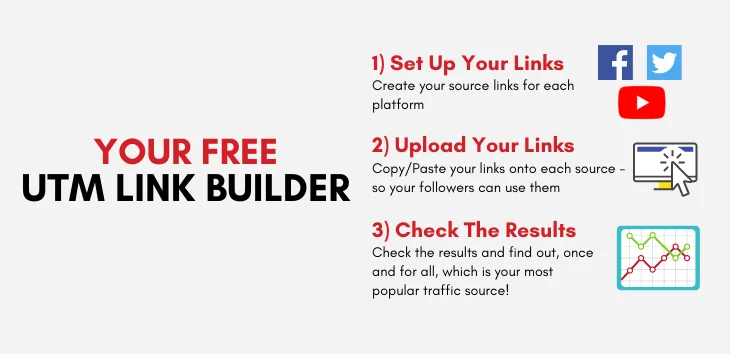
- Paste the destination URL. Use the actual landing page, including any query parameters or page fragment you need to retain.
- Enter source, medium, and campaign. Identify the publisher or traffic source, the marketing channel, and the initiative.
- Add optional detail. Use content to separate creatives or placements, term for keyword or targeting detail, and ID for a campaign identifier.
- Generate and review. Inspect the destination and each parameter in the output. The builder replaces matching parameters rather than adding duplicate copies.
- Copy and place the link. Use the generated URL in the intended external campaign. Open the finished campaign link to check that it reaches the intended page.
For a destination such as https://example.com/shop?category=shoes#offers, the builder retains category=shoes and #offers. Campaign parameters go in the query string, before the fragment. You do not need to assemble question marks, ampersands, or encoded values by hand.
If your starting URL already has utm_source=old_newsletter, entering newsletter replaces that value. Leaving an optional field blank removes its matching parameter from the generated link. Review any existing campaign information before replacing it.
What each UTM parameter does
A UTM builder, also called a UTM generator or campaign URL builder, adds campaign parameters to a destination URL. The website address remains the destination; the added values describe the campaign context of the visit.
| Parameter | Purpose | Example |
|---|---|---|
utm_source | Identifies where traffic comes from. | facebook |
utm_medium | Describes the marketing medium or channel. | paid_social |
utm_campaign | Names the campaign or promotion. | spring_launch_2026 |
utm_id | Provides a campaign identifier. | launch_2026_04 |
utm_term | Adds keyword or targeting detail. | running_shoes |
utm_content | Distinguishes links, placements, or creative variants. | video_a |
This builder requires source, medium, and campaign. The other three fields are optional. More parameters are not automatically better: a field is useful when it answers a question you will actually ask in reporting.
For example, two buttons in one email can share the same source, medium, and campaign while using different content values. That makes the links distinguishable without turning one promotion into two differently named campaigns.
Choose a naming convention before you launch
Consistent names matter more than elaborate names. If one person uses Facebook, another uses facebook, and another uses fb, a single source can become several separate reporting values. Set a small vocabulary your team can reuse.
- Use lowercase values. Write
newsletter, notNewsletter. - Use underscores between words. Choose
spring_launch_2026rather than alternating between spaces, hyphens, and underscores. - Keep channel names stable. Reuse
email,paid_social, andcpcfor the same respective activities. - Keep one campaign name across channels. Source and medium distinguish distribution; campaign identifies the shared initiative.
- Put variation in the right field. Use content for
video_aorhero_buttonrather than changing the campaign name for every link.
Record the agreed values in your team's campaign checklist. The builder keeps your entered capitalization and encodes values for the URL; it does not silently rename them. Enter plain text rather than pre-encoding spaces or other characters.
Examples for paid social, email, and paid search
| Channel | Source | Medium | Campaign | Optional detail |
|---|---|---|---|---|
| Paid social | facebook | paid_social | spring_launch_2026 | Content: video_a |
newsletter | email | spring_launch_2026 | Content: hero_button | |
| Paid search | google | cpc | spring_launch_2026 | Term: running_shoes |
These examples keep the initiative constant while changing the source and medium. For paid search, use term when manual keyword detail is useful; it is not mandatory for every link. Keep existing advertising-platform tracking arrangements intact rather than replacing them indiscriminately.
Google Campaign URL Builder and GA4
Google's Campaign URL Builder is a specific tool for creating campaign URLs. “UTM builder” is the general term for tools that assemble those parameters, including the Weberlo builder above. Weberlo is separate from Google.
Website campaign URLs use UTM parameters that Google Analytics 4 can use in campaign reporting. Building a link does not install analytics, configure key events, or connect store revenue. App campaign workflows can use different platform-specific builders; this tool creates website URLs.
Where to look for campaign data
In GA4, use acquisition reporting to investigate traffic by source, medium, and campaign. Traffic acquisition is the starting point for session-level campaign analysis. Use session source/medium and session campaign dimensions to compare tagged visits, rather than assuming a default channel grouping will show every value you entered.
User acquisition answers a different question: how users were first acquired. A first-user dimension and a session dimension need not tell the same story. Choose the scope that fits your question before comparing campaign totals.
For the reporting workflow, read GA4 UTM Tracking. For detailed definitions and implementation, use the GA4 UTM Parameters guide. If you need the underlying concept rather than another tool workflow, see what UTMs are and why marketers use a builder.
What a tagged URL can—and cannot—tell you
UTMs give analytics a campaign label for a visit. That label helps you group traffic and compare recorded activity. It does not establish that the labeled campaign caused a purchase or that the purchase would not have happened without the campaign.
A campaign label answers “What campaign context accompanied this visit?” It does not answer “How much additional revenue did this campaign cause?”
Recorded results also depend on analytics implementation, redirects, consent settings, and attribution configuration. A correctly generated URL is the start of a measurement workflow, not a guarantee of complete customer-journey data.
Attribution assigns credit under a model. Incrementality asks what happened because of the marketing activity. Those are different questions. Incrementality testing and broader measurement methods address causal lift; campaign URL generation does not.
Common UTM mistakes to avoid
- Leaving core labels incomplete. Use source, medium, and campaign together so a visit has useful context.
- Changing spelling or capitalization. Small naming differences fragment reporting. Reuse the same agreed values.
- Tagging internal navigation unnecessarily. Keep campaign UTMs on external acquisition links rather than adding them to every button within your site.
- Overwriting existing campaign information accidentally. Inspect the original URL and the generated result, especially when editing a link supplied by another team.
- Confusing a source with a medium. A publisher such as
facebookis a source;paid_socialdescribes the medium. - Putting personal information in tags. Use campaign-level labels, not names, email addresses, or customer identifiers. URLs can be shared and appear in reports.
- Treating a generated URL as a performance result. Creating or copying a link says nothing about sales, profitability, or incremental lift.
UTM builder FAQs
What is a UTM builder?
A UTM builder adds campaign parameters to a website URL. You enter the destination and campaign values, and it assembles a tagged URL for use in an external campaign.
Is a UTM builder the same as Google Campaign URL Builder?
Google Campaign URL Builder is one specific UTM-building tool. The general term also applies to other tools, including Weberlo's. Both concepts involve assembling campaign parameters for website links.
What is the difference between a UTM builder and a UTM generator?
The terms describe the same basic task: generating a destination URL with UTM campaign parameters. “Campaign URL builder” and “UTM link generator” are also common names for that task.
Which UTM parameters are required?
This builder requires utm_source, utm_medium, and utm_campaign. It treats utm_id, utm_term, and utm_content as optional.
Can I use UTM links in email and social campaigns?
Yes. Use the tagged URL as the destination of an email link, social post, or ad. Keep source and medium consistent, and use content when you need to distinguish different links or creatives.
What happens to existing query parameters?
The builder preserves non-UTM query parameters and the URL fragment. It replaces matching UTM values, removes duplicate copies of those matching parameters, and removes matching optional parameters when their fields are blank.
Does generating a URL send my entries anywhere?
No. The builder processes your entries locally in your browser, without backend requests or visitor-data storage. The copy action puts the generated URL on your clipboard.
Do UTMs show which marketing caused a sale?
No. They label campaign context for reporting. They do not prove causality, incremental revenue, or guaranteed ROI, even when a report associates a campaign with a purchase.
Where can I see UTM data in GA4?
Start with acquisition reporting and the session source/medium and session campaign dimensions. The GA4 UTM tracking guide covers interpreting those labels in reporting.