The practical choice in AnyTrack vs Hyros is between flexible conversion tracking and deeper attribution analysis. Are you trying to connect conversion events to your marketing stack, or understand how ads, email, calls, and repeat visits contribute to revenue over a longer customer journey? Those are related jobs, but they are not the same purchase.
For an affiliate media buyer, the distinction matters. Your ad account, tracker, analytics, and affiliate network can show different conversion totals. Another dashboard is useful only when it helps explain those differences and supports the traffic-to-conversion path you actually run.
Overview of Hyros

Hyros is an ad-tracking and attribution platform that connects marketing interactions to revenue across customer journeys. Its central use case is understanding which sources contribute to sales when the path includes more than a single ad click and immediate purchase.
That makes it relevant to infoproduct sellers, high-ticket businesses, ecommerce brands, and teams managing longer sales cycles. A prospect might click an ad, register for a webinar, respond to email, book a call, and buy later. Hyros is built around analyzing that broader path rather than treating each interaction as an isolated event.
The Hyros product overview covers its tracking and attribution positioning. For buyers, the important distinction is between the core measurement product and the additional engagement or connected-tool workflows discussed below.
Features of Hyros
Multi-touch attribution and customer journeys
Hyros supports multi-touch attribution and customer-journey analysis. Instead of asking only which click immediately preceded a sale, you can examine the sequence of marketing interactions associated with that sale.
This depth matters when paid media starts the relationship but another touchpoint helps close it. It also gives teams more context for repeat purchases and customer value. Attribution assigns credit under a measurement approach; it should not be confused with an experiment proving that an ad caused a purchase.
Ad-platform conversion feedback
Hyros can feed conversion data back to connected ad platforms. This is a different function from displaying attribution reports: reporting helps a buyer interpret performance, while conversion feedback supplies events to the advertising platform's optimization system.
For a media buyer, evaluate these as two separate workflows. You need useful revenue reporting for budget decisions and a clearly defined conversion event for platform feedback. Sending a lead event and sending a completed-sale event serve different optimization goals.
Integrations and API
Hyros provides integrations and API access for connecting its tracking and reporting to a business's broader systems. Its integration directory is the relevant starting point for platform coverage, and its enterprise offering addresses more involved data and implementation needs.
Think in terms of the complete path: traffic source, landing page, checkout or CRM, conversion event, and reporting destination. A connection at one point does not describe the entire workflow. Call-assisted and offline sales also require the revenue event to reach the measurement system, rather than stopping at a booking or form submission.
AIR: separate customer engagement and remarketing
AIR is Hyros's separate customer-engagement and remarketing agent. Its role is to engage customers and support follow-up, rather than simply attribute an existing sale to marketing touchpoints.
Keep that distinction clear when comparing products and costs. An attribution subscription answers measurement questions; an engagement agent adds a messaging workflow. AIR has its own usage-based pricing, detailed below.
MCP: connected tools, reports, and data workflows
Hyros's MCP support connects tools with reports and data workflows. It extends how connected tools can work with Hyros data; it is not another attribution model or the same product as AIR.
This also differs from Weberlo's dashboard-native AI Analytics Agent. Weberlo's agent answers questions about connected marketing performance, including campaign ROAS, funnel drop-offs, multi-touch purchase paths, and LTV by channel. The practical distinction is connected-tool access through MCP versus investigation inside the reporting dashboard. Choose the workflow that matches how your team analyzes data, rather than treating all AI features as interchangeable.
Hyros pricing: October 2026 snapshot
The October 2026 Hyros pricing breakdown lists Business plans by monthly tracked revenue. The fixed prices below are monthly equivalents requiring annual billing, not month-to-month subscription prices.
| Monthly tracked revenue | Monthly equivalent |
|---|---|
| Up to $20,000 | $230 |
| Up to $40,000 | $353 |
| Up to $83,000 | $583 |
| Up to $250,000 | $999 |
| Up to $750,000 | $1,499 |
| Above $1 million | Custom pricing |
The Shopify offering starts at $129 per month for the entry brackets covering up to $5,000 or $10,000 in monthly tracked revenue. Higher brackets follow Business pricing. These revenue brackets describe pricing, not a minimum ad-spend requirement for using attribution software.
AIR pricing is separate. It averages approximately $0.10 per message, with a 500-message monthly minimum. Multiplying those figures gives approximately $50, but the average per-message rate does not make that a guaranteed flat monthly charge.
For a fair cost comparison, separate the attribution subscription, billing commitment, messaging usage, and implementation effort. A lower entry price and a lower total operating cost are not necessarily the same thing.
Advantages of Hyros
- Depth for complex funnels: multi-touch and journey analysis suit delayed conversions, webinars, high-ticket purchases, and assisted sales.
- Reporting plus conversion feedback: teams can analyze revenue attribution and supply conversion events to connected advertising platforms.
- Broader data workflows: integrations, API access, and MCP support provide different ways to connect measurement with other tools.
- Published pricing brackets: buyers can assess revenue-based subscription costs rather than relying on an assumed starting price.
Disadvantages and trade-offs of Hyros
- More implementation work: complex funnels require thoughtful connections between traffic, leads, calls, and revenue.
- More reporting depth to interpret: a team needing basic campaign-to-sales clarity may not use all that complexity.
- Annual commitment for listed fixed prices: monthly-equivalent pricing should be evaluated as an annual purchase.
- Separate engagement costs: AIR messaging adds a usage-priced expense outside core attribution.
Overview of AnyTrack
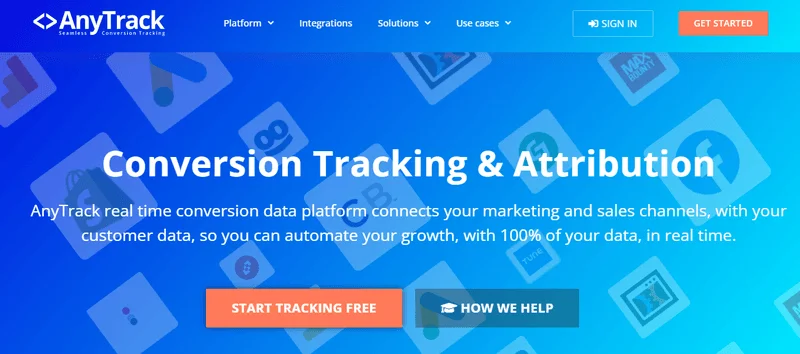
AnyTrack is the conversion-tracking-led option in this comparison. Start your evaluation with a concrete operational question: how will a conversion from your website or offer reach the systems you use to measure and optimize traffic?
That is especially important for affiliates. A sale on a merchant's website is a different tracking situation from a purchase on your own checkout. The tool must fit the conversion information available to you, not merely the advertising platform where you buy clicks.
The AnyTrack website provides its current product capabilities, integration coverage, and plan details. Build your shortlist around those details rather than an older feature list or a generic promise of easy setup.
Features to assess in AnyTrack
Event collection and implementation
Map the events you need: landing-page visits, outbound offer clicks, lead submissions, purchases, or another payable action. Then determine how each event enters the tracking workflow. Installing a site tag and receiving a conversion from an external merchant are separate implementation tasks.
Traffic sources and conversion destinations
List the ad sources, analytics tools, affiliate networks, and conversion destinations involved in your campaigns. Compare that list with AnyTrack's current integration coverage. The useful question is whether your complete path is covered, not whether a familiar platform logo appears somewhere in the product's marketing.
Identifiers and revenue fields
For CPA and CPL campaigns, identify the fields your workflow needs: click ID, SubID, transaction ID, conversion status, commission, currency, and event timestamp. Those fields determine whether you can reconcile a conversion with the traffic that produced it.
This is a better evaluation standard than assuming every tracking product handles every affiliate workflow. Your required fields and the product's actual data coverage should line up.
Reporting and platform feedback
Separate the ability to collect an event, display it in reporting, and send it onward to another system. These are distinct jobs. Decide whether your priority is conversion transport, budget analysis, or both, and assess the product against that requirement.
AnyTrack pricing
Use AnyTrack's current published plans for the commercial comparison. Match the subscription to your expected traffic and conversion volume, number of properties, required integrations, and reporting needs. An entry-level subscription is only relevant if it covers your working setup.
Also account for the time needed to implement and maintain the workflow. A useful comparison includes subscription cost and operational effort, rather than recycling historical monthly prices or assuming trial terms remain unchanged.
Advantages of considering AnyTrack
- A focused evaluation: conversion tracking lets you start with specific event-collection and routing requirements.
- A practical affiliate buying framework: you can assess a concrete traffic-to-offer path rather than choosing by brand reputation.
- Potential fit for a narrower job: when event handling is your priority, deeper funnel analysis need not dominate the purchase.
Trade-offs when considering AnyTrack
- Workflow coverage decides the fit: external merchant conversions need a usable data path back to your tracking setup.
- Tracking and attribution are different requirements: collecting conversions alone does not answer every multi-touch or customer-value question.
- Plan limits matter: evaluate the plan that accommodates your campaigns, not just the advertised entry point.
AnyTrack vs Hyros: direct comparison
The strongest comparison starts with the job you need done. Do not assume the products are identical except for price, customer support, or company size.
| Decision area | AnyTrack evaluation | Hyros evaluation |
|---|---|---|
| Primary priority | Flexible conversion tracking and the event workflow your stack requires | Multi-touch attribution and customer-journey analysis |
| Conversion path | Match current coverage to your website, offer, and conversion destination | Connect marketing interactions with sales across more involved funnels |
| Ad-platform feedback | Assess current event destinations and integration coverage | Conversion feedback is part of its connected advertising workflow |
| Commercial comparison | Use current vendor plans and limits | Revenue-based tiers; listed fixed prices require annual billing |
| Additional workflows | Evaluate against your required tracking tasks | AIR engagement and MCP data workflows are distinct from attribution |
Which product addresses your reporting discrepancy?
First distinguish an event problem from a credit problem. A conversion absent from your tracker needs a different investigation from a conversion present in both systems but attributed to different channels.
Missing events are a tracking problem. Different credit allocations can be an attribution-policy problem. Buying more attribution depth does not automatically repair a missing conversion feed.
Compare the same dates, time zones, conversion statuses, currencies, and attribution windows. For payouts, use the network's payable conversion record; for onsite behavior and channel analysis, use the relevant analytics view. Those systems answer different questions.
Implementation and value
Judge setup by your path, not a blanket claim that one product is always easy and another is always difficult. A simple checkout and a funnel with webinar registrations, calls, delayed sales, and upsells create different implementation work.
Likewise, evaluate support around the work involved: onboarding, event mapping, reporting interpretation, and ongoing troubleshooting. There is no useful reason to rank customer service by subscription price alone.
Where Weberlo is a relevant third option
Weberlo fits media buyers who control a supported store, website, CRM, or Stripe conversion endpoint and want clearer ad-spend-to-revenue reporting. Its supported connections include Shopify, WooCommerce, WordPress, BigCommerce, Stripe, CRM, and Web, alongside Meta, Google, and TikTok advertising accounts.
Its ad tracking brings supported spend and revenue into campaign and creative reporting. Ad-platform revenue-credit deduplication helps reduce inflated totals when multiple platforms claim the same purchase, while customer-journey visibility adds context across sessions and devices.
Server-side, first-party tracking supports that reporting; it is not the main buying reason. The practical benefit is understandable performance data and less manual reconciliation for covered conversion paths. Review the supported integrations, affiliate media-buyer use case, and pricing around the stack you operate.